Personal finance tracker for Android
Know where your money is, without handing it to anyone.
Mero Paisa tracks your income, expenses, savings, budgets and debts on your phone. No account, no server — your records stay in one file on this phone, and everything works offline. Want answers about your money? Ask Me is the one optional feature that goes online.
Offline by default
Everything works with no connection and no account. Only Ask Me goes online, and only when you ask it something.
English and नेपाली
Every screen, button, category and help note is translated. Switch at any time.
Bikram Sambat dates
Dates render in BS when the app language is Nepali.
One file, on your phone
Everything lives in a single database in the app's private storage.
A whole ledger, not just a list of expenses
Mero Paisa is Nepali for “My Money”. It is built for how money actually moves here: some in cash, some in a bank, some in a wallet, and a fair amount lent to people you know.
Every rupee, wherever it sits
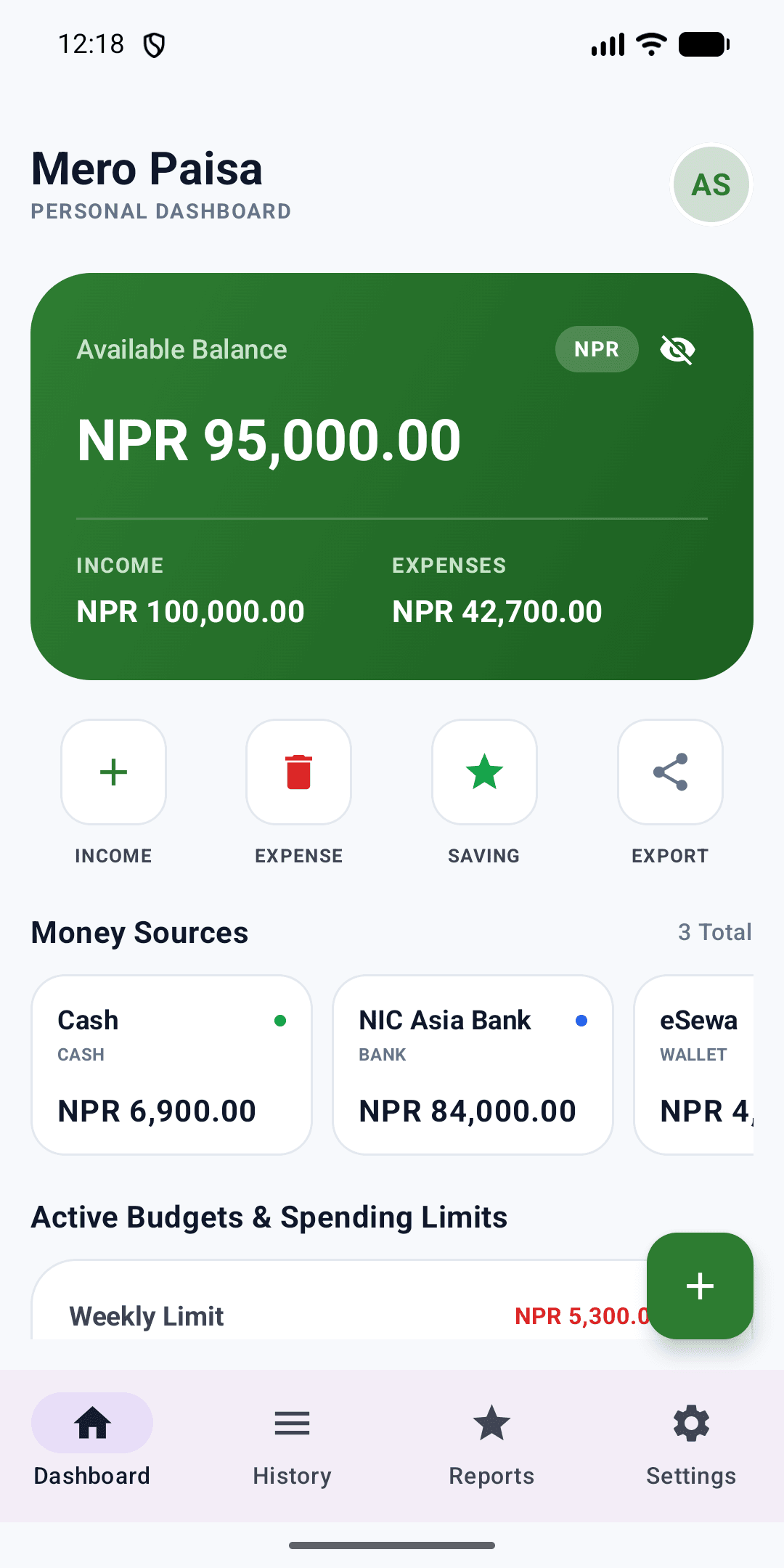
Cash in your pocket, a bank account, a mobile wallet — each keeps its own balance, and one figure adds them up. Move money between your own sources with a Transfer.
Budgets you set, and a goal to reach
One weekly and one monthly spending limit, plus a savings target for the year. Progress bars on the dashboard, a warning when you go over — never a block.
Money you lend or borrow
Tracked per person, in both directions, apart from your spending. Lending Rs 5,000 is not spending it and borrowing is not earning, so your reports stay honest. Repay a bit at a time.
Entries from your bank's SMS
Link a sender to an account and the app reads those alerts when you open it, so you stop typing them in. Every match waits for you to approve, edit or ignore it.
And from wallet notifications
eSewa, Khalti, IME Pay and most mobile-banking apps confirm a payment with a push notification and nothing else. Mero Paisa can read those too, from the apps you link.
Reports that add up
A monthly breakdown by category, a donut chart, and how much of your spending came from each money source.
Backup and Excel export
A lossless JSON backup for moving between phones, and a real .xlsx workbook you can open anywhere. You choose where each file goes.
Ask Me about your money
"Where did my money go this month?" "How do I reach my savings target?" Ask in English or Nepali and get an answer drawn from your own entries. Optional, needs a free Mero Paisa account, and sends your ledger only when you ask — 3 messages a month free, 20 on Pro.
Locked, and hidden at a glance
An optional biometric lock on the whole app, and a tap that masks every figure on screen when someone is looking over your shoulder.
What it looks like
Dashboard
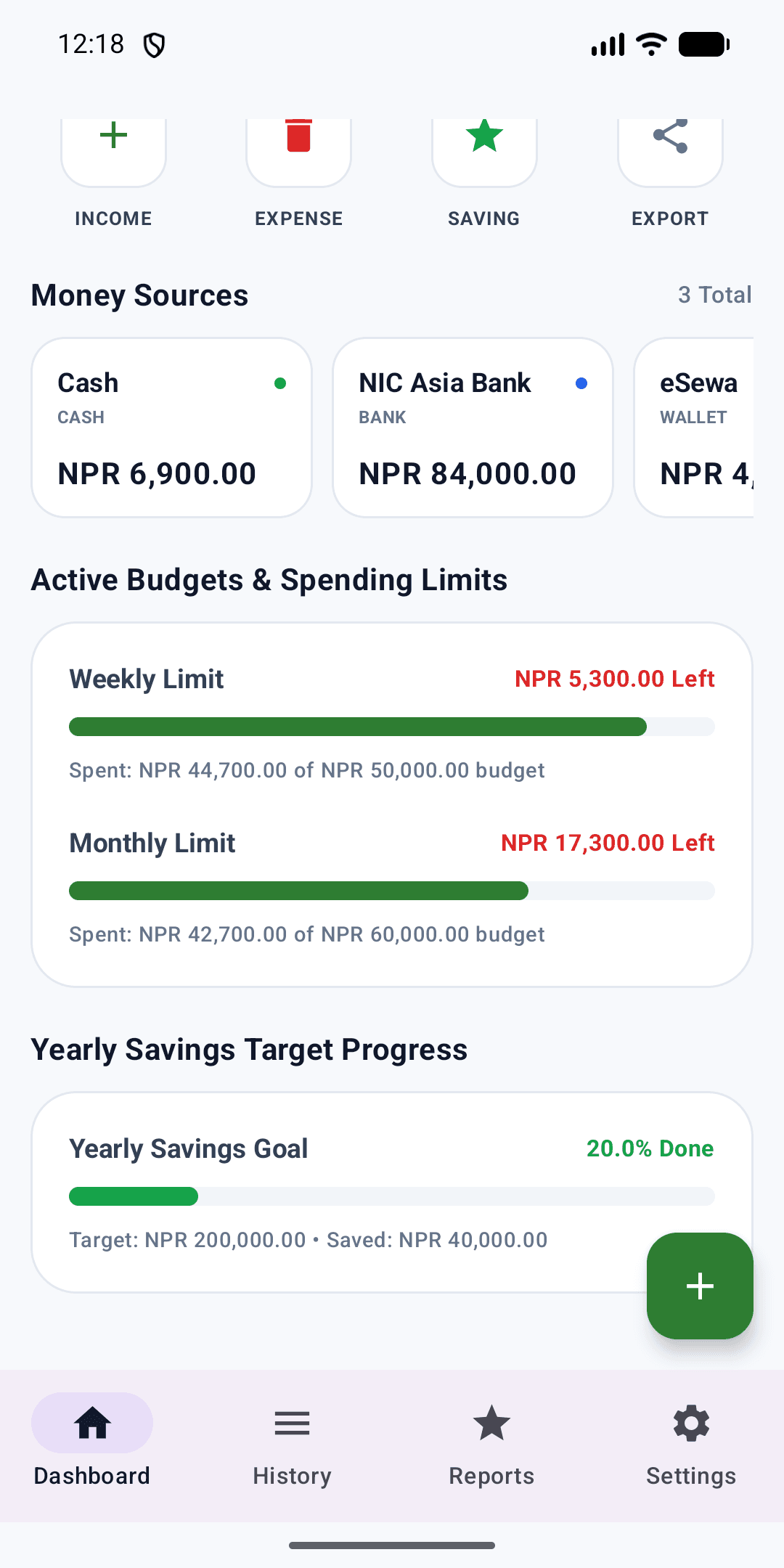
Budgets and savings
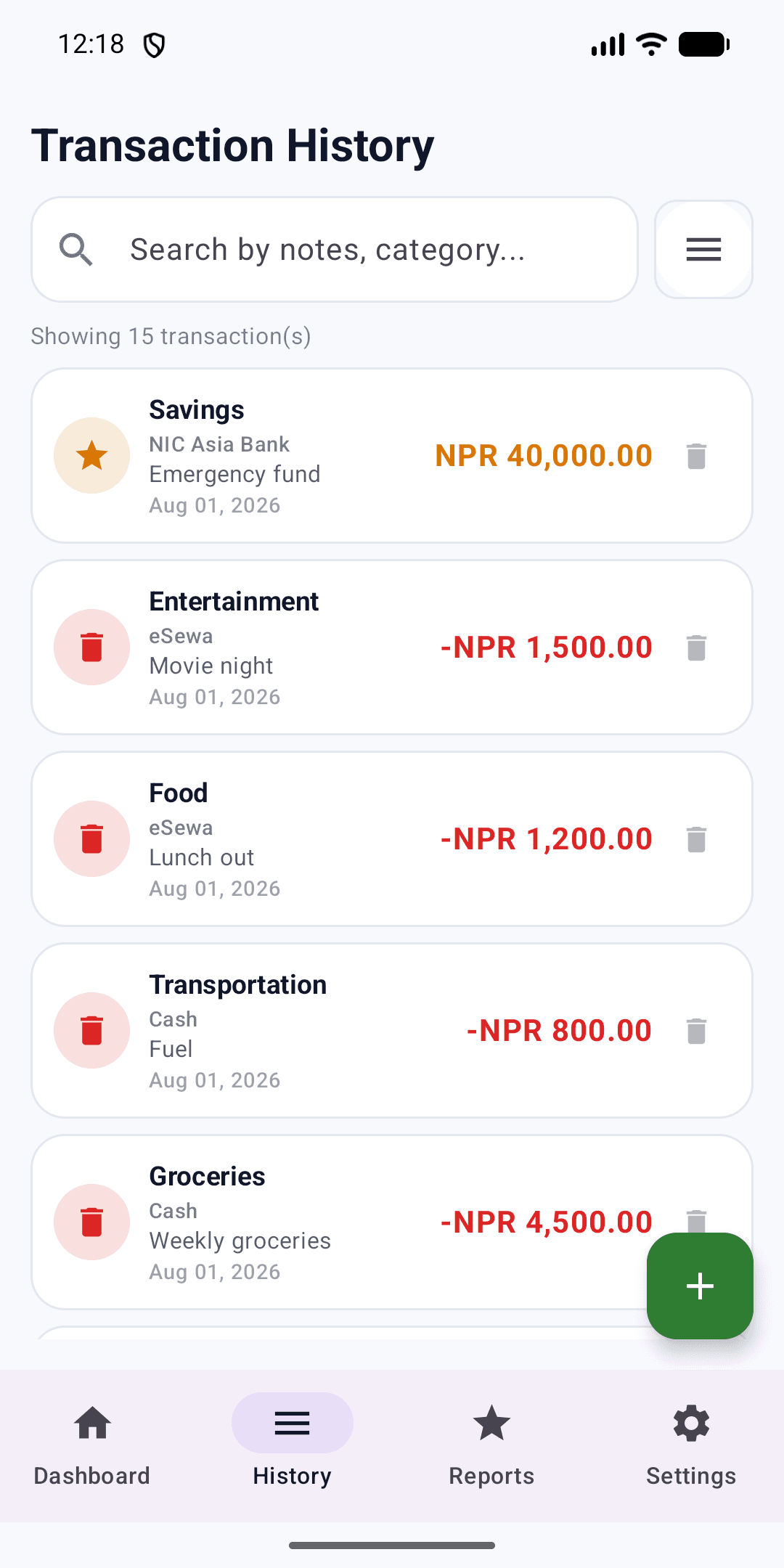
History
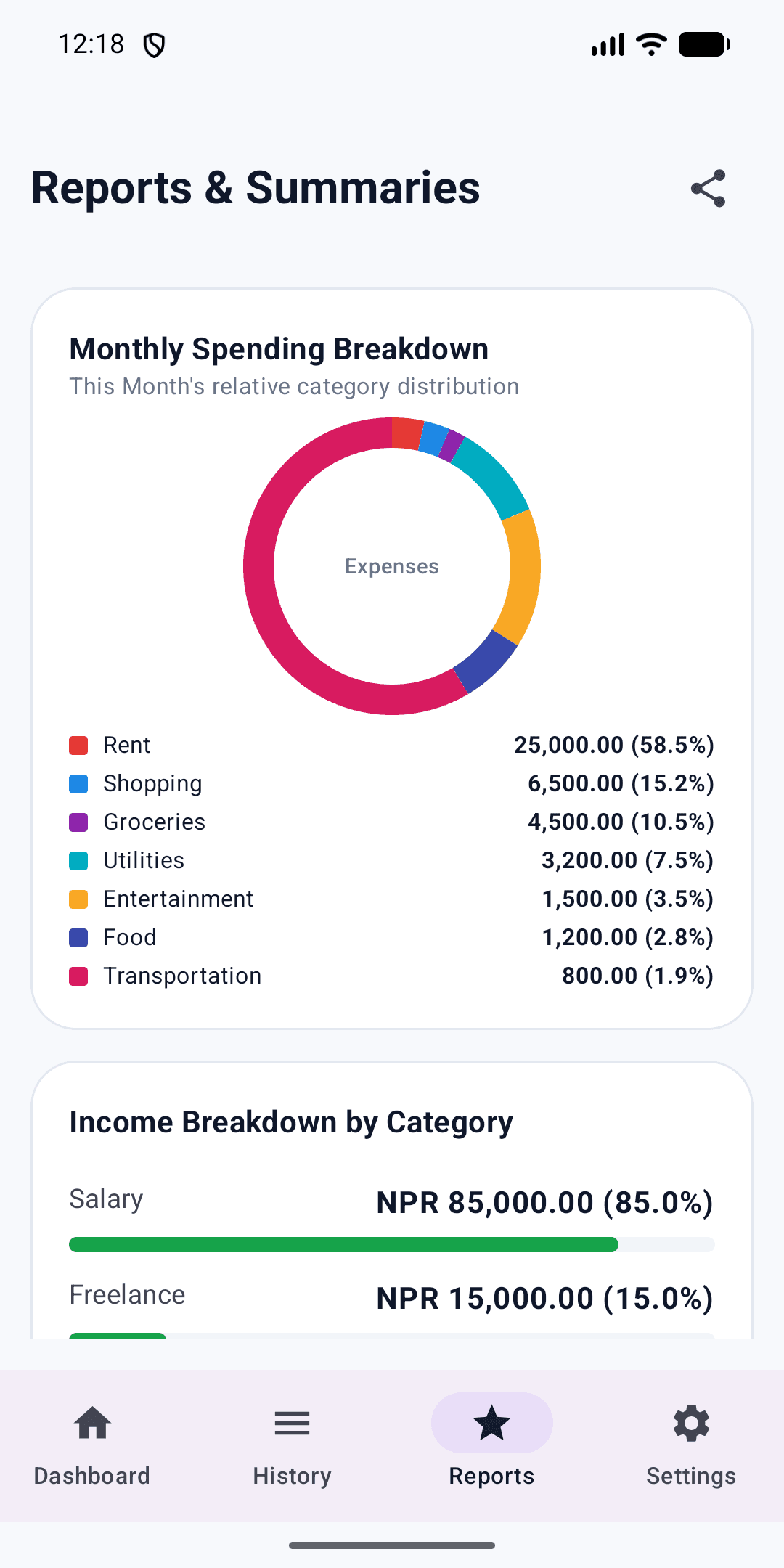
Reports
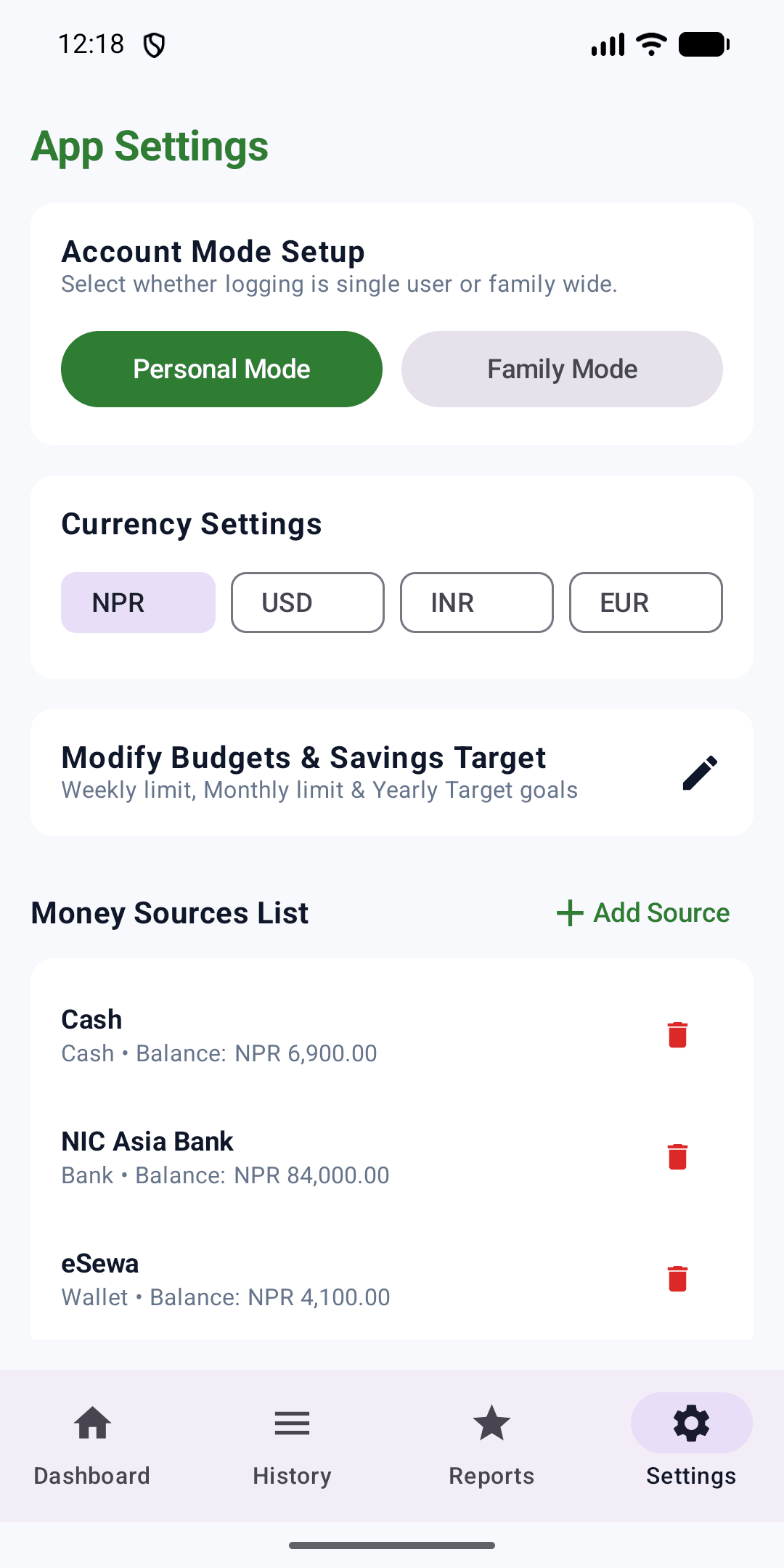
Settings
Three steps, then it runs itself
Install it
Download from Google Play. There is nothing to sign up for — an account is only needed if you want to use Ask Me. Coming from another phone? Restore a backup on the first screen.
Set up your money
A short wizard asks for your language, your currency, and the sources you actually use — cash, a bank account, a wallet — with what is in each one today.
Record as you spend
Add each entry in a few taps, or link your bank's SMS sender and approve what the app finds. Two optional reminders nudge you if you forget.
Your data stays on your phone — unless you ask.
Most finance apps ask you to trust them with your numbers. Mero Paisa keeps them in one file on your phone, and the only time anything leaves is when you ask Ask Me a question: then your ledger goes to our server and to Claude, an AI service by Anthropic, to be answered, and is not stored there. The first time, the app shows you exactly what will be sent and asks first. There is no analytics, no crash reporting and no advertising code.
About reading your SMS
- Off until you set it up, by picking a sender for an account yourself.
- The inbox query always names the senders you configured, so messages from anyone else are never returned to the app.
- It looks only when you open the app. There is no background service.
- Nothing is recorded until you approve it — you can edit or ignore every match.
- Message text is never sent anywhere. Ask Me sends the entries you approved, not the messages they came from.
The six permissions it asks for, and nothing else:
USE_BIOMETRIC
The optional app lock.
USE_FINGERPRINT
The same lock on Android 9 and older. Capped so newer devices never see it.
READ_SMS
Reading bank alerts from senders you link yourself. Notably not RECEIVE_SMS: nothing wakes the app when a message arrives.
POST_NOTIFICATIONS
The two reminders, if you turn them on, and a note when an Ask Me answer arrives while you are elsewhere.
RECEIVE_BOOT_COMPLETED
Puts those two reminders back after a restart, which Android otherwise drops.
INTERNET
Ask Me, and nothing else. It is used only when you ask a question.
INTERNET is for Ask Me only. No analytics, no crash reporting, no advertising code.
Prefer a browser? There's a web version too.
A separate, account-based Mero Paisa that runs anywhere you have a browser. Your Mero Paisa account works in both, but they do not sync — the Android app keeps its records on the phone, and the web app keeps its own.
Still being built. Creating an account and signing in work today; the ledger behind them is not finished yet, so expect empty screens for now.
Install it on your phone
Add Mero Paisa to your home screen and it opens full-screen, like an app, with nothing to download from a store.
Or sign in to use it across devices
One account, the same web records in any browser — phone, tablet or laptop.
Questions
Does it need the internet?
Only for Ask Me. Everything else — recording, budgets, reports, SMS and wallet capture, backups — works with the phone in aeroplane mode. Ask Me is the app's one network feature: it sends your ledger to be answered only when you ask a question, after showing you what will be sent.
Does the Android app sync with the web app?
No. The app keeps your records in a single file on your phone and never uploads them for storage — Ask Me sends them only to answer a question, and they are not kept. The web app is a separate, account-based version with its own records; the same Mero Paisa account signs in to both. A backup file is the way to move data yourself.
Can it really read my bank messages?
Only if you set it up, and only the senders you link to an account. It looks in your inbox when you open the app — there is no background service — and everything it finds waits for you to approve, edit or ignore it. Message text is read on the phone and never sent anywhere, not even by Ask Me.
What happens if I lose my phone?
Make a backup before you do. The app writes a lossless .bak file, and an .xlsx workbook, to wherever you choose — your own storage, a drive, a chat with yourself. Restoring one is the first option on a fresh install. Nothing is backed up for you automatically: your records are never uploaded for storage.
Does it work in Nepali?
Fully. Every screen, button, category and help note is translated, not just the menus, and dates render in Bikram Sambat when the language is Nepali. Switch between English and नेपाली in Settings; the change is instant.
Which currencies does it support?
NPR, USD, INR, EUR, KRW and JPY. This changes the label on your amounts and how they are formatted — it does not convert between them.
Start keeping track today
Free, and no account needed to start. Install it and the first screen asks what you have, not who you are.